

Why Most Redirect Checkers Miss JavaScript
If you enter a URL into a traditional online redirect checker, the server typically performs a quick HTTP HEAD or GET request using a basic cURL script or HTTP client library.
This works well for standard server-side HTTP 301 and 302 headers. However, if the destination page returns a 200 OK response and then uses client-side JavaScript (e.g. window.location.href) or a <meta http-equiv="refresh"> tag to forward visitors, basic checkers report that no redirect occurred!
Because Googlebot uses a full Web Rendering Service (WRS) based on headless Chrome, search engines follow those client-side redirects even when simple SEO tools miss them entirely.
Tool Feature Comparison
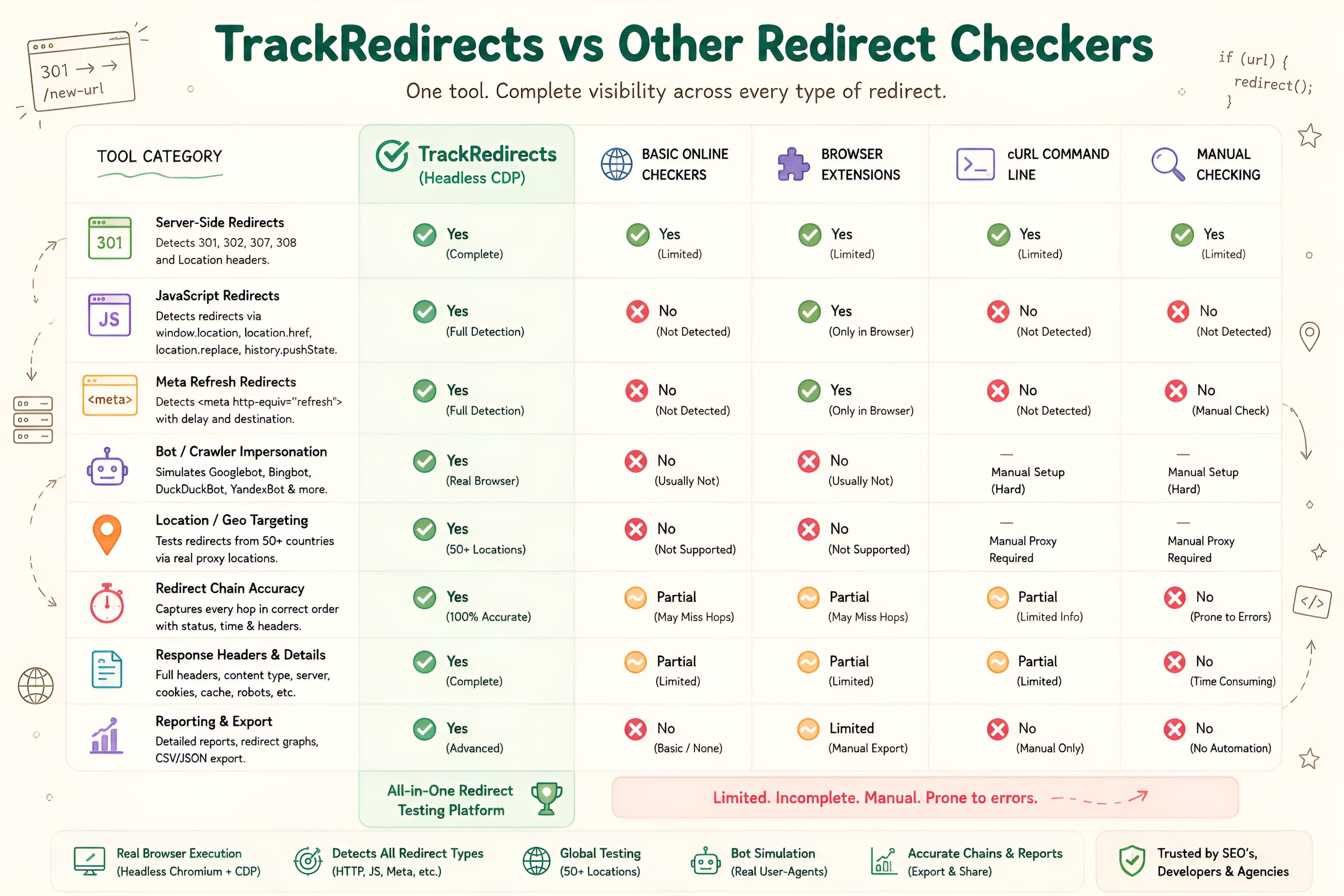
Here is how the main categories of redirect tracing tools compare across essential technical criteria:
Must-Have Features in a Redirect Tracer
When evaluating redirect diagnostic tools for professional SEO site audits, ensure the tool supports these four key capabilities:
- Headless Chrome CDP Integration: Must execute client DOM scripts to capture post-render JavaScript and meta refresh redirects.
- Bot Identity Presets: Ability to simulate Googlebot, Bingbot, Yandex, or custom mobile crawlers to uncover cloaking or conditional user-agent rules.
- Geographic Proxy Selection: Support for testing location-specific IP routing rules without leaving your desk.
- Privacy & Ephemeral Processing: Zero database storage or account walls, guaranteeing that your draft migration URLs remain private.
Our free Redirect Status Checker combines headless Chrome CDP tracing with bot simulation and regional proxy testing in a clean, instant interface.
Redirect Status Checker
Experience real-time headless Chrome redirect tracing with zero logging and full bot impersonation.